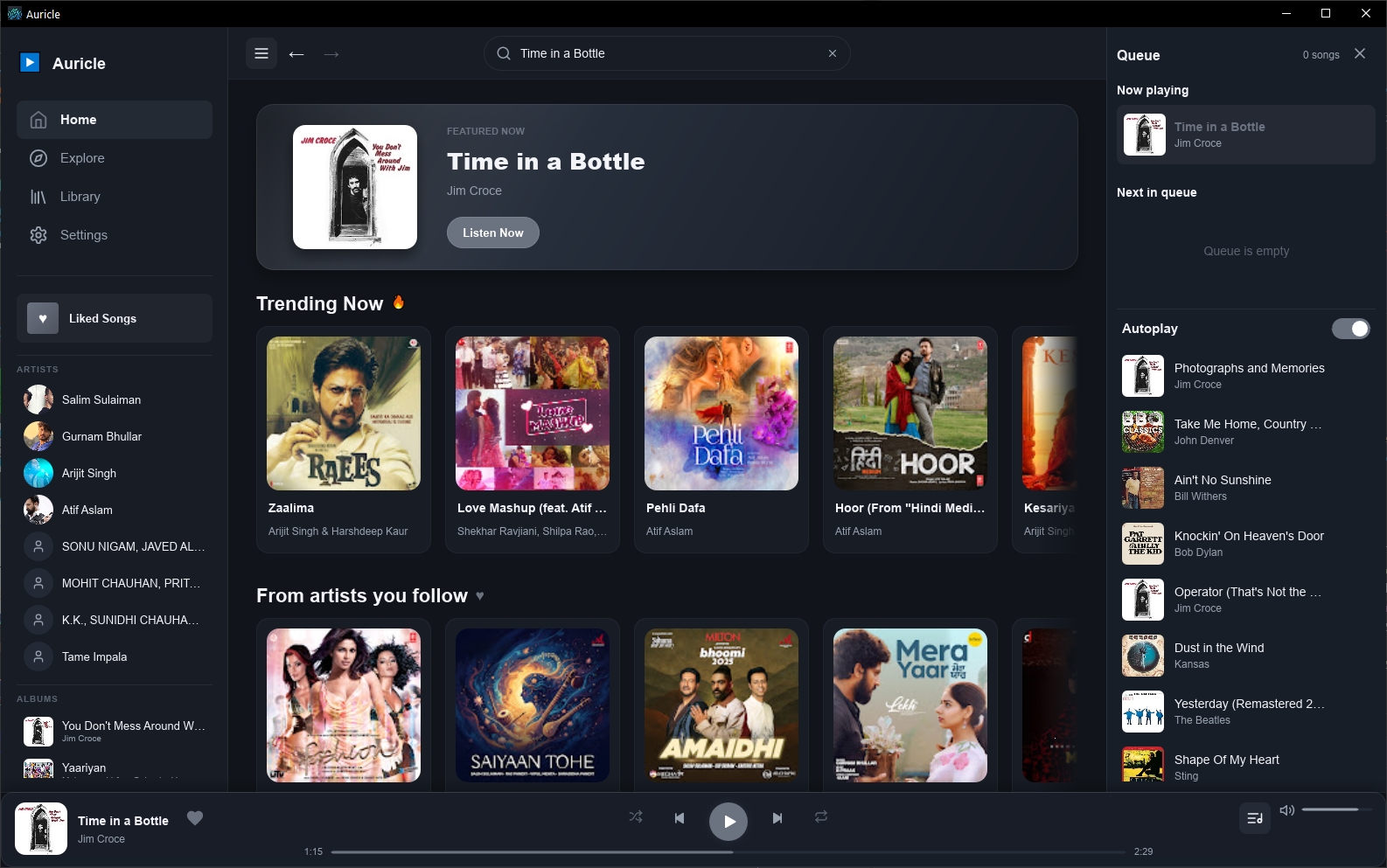
A native Windows music player for the YouTube Music catalogue. Search songs, albums, artists and playlists, build your local library, and keep listening with a queue, autoplay and audio caching. Built with Rust and Slint, without Electron or an embedded web view.
A native desktop player with a library that stays on your device.
Find songs, albums, artists and playlists with suggestions, mixed previews and dedicated result tabs.
Choose what plays next, manage queued tracks, and continue listening with related music.
Follow artists, save albums and playlists, and revisit liked songs and listening history on your device.
Open artist and album pages, explore track credits, and manage playback and queue actions from context menus.
A size-limited on-disk cache reuses recently played audio. The default cache limit is 500 MB.
Built in Rust with the Slint UI toolkit, without Electron or an embedded browser.
Minimize to tray and keep music running in the background without cluttering your taskbar.
Licensed under GPLv3. Inspect the code, contribute, or fork it freely.
Three steps from download to your first song.
Grab the latest .exe installer from the GitHub Releases page — no account needed.
On first launch, optionally install yt-dlp, ffmpeg and Deno with one click from the onboarding screen — or point to your own installation. Auricle keeps yt-dlp updated automatically.
Find a song, artist, album or playlist. Start playback, build your queue, or save music to your local library.
Free, open source, and available now for Windows.
Windows 10/11, 64-bit. Installer and portable ZIP available. No Visual C++ Redistributable needed. Streaming requires optional third-party add-ons.
A Rust application with a native Slint interface and local data storage.
Can't find an answer? Open an issue on GitHub.
No. Auricle never bundles third-party tools. The in-app add-on installer downloads yt-dlp, ffmpeg and Deno directly from their official GitHub releases on your behalf, with your consent. You can also point Auricle to your own existing installation via PATH. Once yt-dlp is installed, Auricle updates it automatically in the background at most once a week.
None is sent to the developer: there are no accounts, telemetry or analytics. Your library, history and settings stay on your PC, and searches and playback go directly to YouTube and Google. Read the privacy policy for details. Browser cookies are never used unless you turn them on in Settings, and logs are only shared if you choose Report a problem.
Auricle is an early, open-source release under GPLv3. Review the source and release notes before installing. Network access is used for music metadata, artwork and playback, optional add-on downloads, and update checks in the portable build. Auricle is not affiliated with YouTube or Google.
The installer and portable build target 64-bit Windows 10 and 11. Building from source also requires Rust and the MSVC C++ Build Tools.
Auricle searches the public YouTube Music catalogue without an in-app account. Playback depends on optional add-ons and the source service; availability and regional restrictions can vary.
You need a current stable Rust toolchain and the MSVC C++ Build Tools. Clone the repo and run cargo run --bin auricle or use npm run run for convenience.
Auricle follows a feature → release/x.y.z → main branch model.
Check out the contributing guide before opening a pull request.